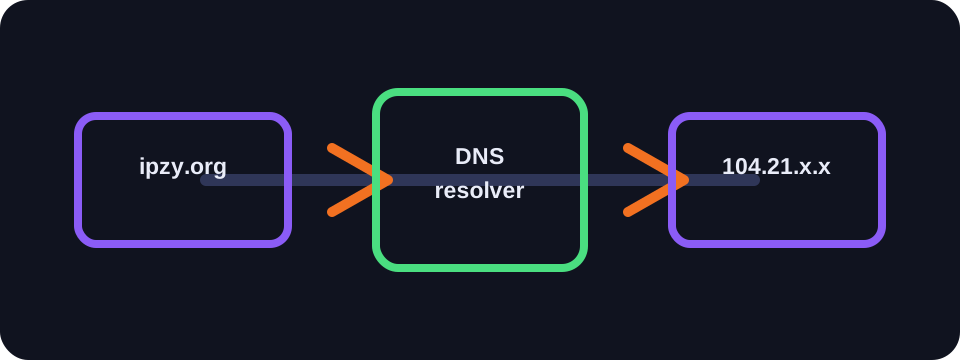
DNS transforms a human-readable domain name, such as ipzy.org, into an IP address usable by machines. By default, your connection often uses your Internet provider's DNS servers. However, you can choose a public DNS, a filtering DNS or an encrypted DNS according to your needs.
Key takeaways
- The ISP's DNS is simple and often close to the operator's network.
- A public DNS can improve stability, security features or privacy.
- Changing DNS does not replace a VPN and does not mask your IP address.
- DNS over HTTPS or DNS over TLS encrypts the DNS request, but not all browsing.
The role of DNS
When you enter a web address, your device needs to find the IP address of the corresponding server. It queries a DNS resolver, which responds with the address to contact. This step is fast, but it happens very often: websites, images, scripts, applications, updates and background services.
DNS does not carry the content of pages. However, it reveals the domains requested. This list of domains can be sensitive, as it gives an idea of the services used, even if HTTPS then protects the exact content exchanged with the site.
ISP DNS
The ISP's DNS has the advantage of being configured automatically. It is generally close to the operator's network, which can offer good latency. It may also integrate certain local services: error page redirection, regulatory filtering or box-specific features.
In return, it gives the access provider direct visibility into your DNS requests, unless an application already uses a different encrypted DNS. Depending on the country, the legal framework and the provider's policies, this data may be retained, aggregated or used for diagnostics.
Public DNS
Public DNS servers are offered by specialised players or large platforms. Some focus on speed, others on privacy, family filtering, protection against malicious domains or resilience to failures. The best-known ones are easy to configure on a device or router.
A public DNS can resolve certain slowness or DNS outage problems with an operator. It can also avoid unwanted redirects of non-existent pages. But you need to choose a trusted provider, as you are moving DNS visibility from your ISP to another player.
Encrypted DNS: DoH and DoT
DNS over HTTPS and DNS over TLS encrypt requests between your device and the resolver. A local observer finds it harder to see domains requested via standard DNS. This can improve privacy on public Wi-Fi or an untrusted network.
This encryption does not mask everything. The final IP address of the server may remain visible, and other signals exist depending on the protocols used. Encrypted DNS is therefore not equivalent to a VPN: it protects one specific step of the connection, not all traffic.
Impact on speed
Changing DNS can speed up the initial loading of some sites if the old resolver was slow. However, it does not increase download speed. Once the IP address is obtained, speed depends mainly on your connection, routing, the server and network load.
CDNs must also be considered. Some services choose a nearby server based on the DNS resolver used. A very distant or poorly integrated DNS can sometimes direct to a less optimal point of presence. The best choice therefore depends on your location and your operator.
How to choose
If everything works well, the ISP's DNS may suffice. If you encounter DNS outages, resolution slowness, or if you want filtering features, try a reliable public DNS. For privacy on shared networks, prefer a resolver compatible with DoH or DoT with a clear privacy policy.
After changing, test several sites, important applications and VPN functionality if you use one. A poor DNS setting can cause DNS leaks or inconsistencies in apparent location.
Conclusion
The DNS choice is a simple but important setting. It does not transform your connection on its own, but it influences reliability, privacy and sometimes perceived speed. The right choice is the one that matches your use, not necessarily the most popular one.
FAQ
Does changing DNS hide my IP?
No. Sites still see the IP address used by your connection or your VPN.
Is a public DNS always faster?
No. You need to test from your network, as distance and routing matter.
Does encrypted DNS replace HTTPS?
No. HTTPS protects the connection to the site, while DoH or DoT protect the DNS request.