An ASN, or Autonomous System Number, identifies an autonomous network on the Internet. It allows you to find out which operator, host or organisation announces an IP address range in global routing.
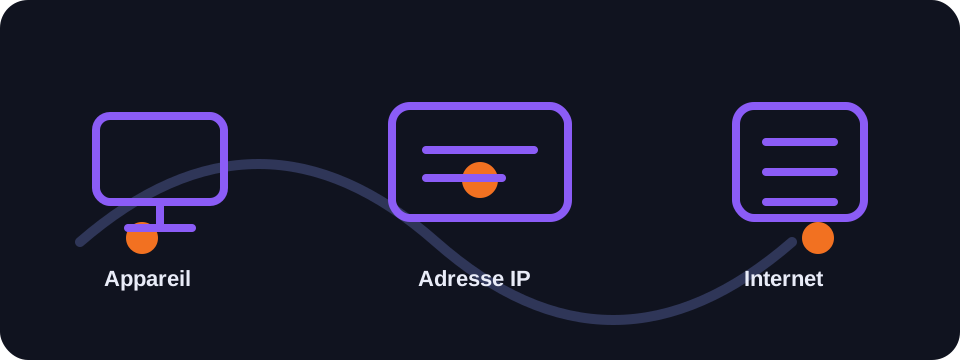
Key takeaways
- An ASN identifies a network managed by an organisation.
- ISPs, hosting providers and large companies often have their own ASN.
- The ASN helps understand the network origin of an IP address.
- It is important for BGP routing and network security.
Understanding the ASN
The Internet is composed of many interconnected networks. Each autonomous system groups together routers and IP address ranges under a common routing policy. The ASN is the number that identifies this network in the BGP protocol.
When an IP lookup tool displays an ASN, it generally indicates the network organisation associated with the IP address: access provider, mobile operator, cloud host, university or large company.
Format and assignment
ASNs are assigned by regional Internet registries, under IANA coordination. Historically they were coded on 16 bits, then the space was extended to 32 bits to meet the growth of the Internet.
An ASN can be displayed in the form AS12345. The associated name can help distinguish a residential IP from a datacentre IP or a corporate network.
What is the ASN used for?
- Routing: help networks exchange routes via BGP.
- Diagnostics: understand which operator a connection passes through.
- Security: identify networks known for spam or abuse.
- Analysis: differentiate ISPs, hosting providers, VPNs and cloud providers.
Conclusion
The ASN is a valuable technical piece of data for understanding the network origin of an IP. It does not give a person's identity, but it helps identify the organisation that announces the address on the Internet.
How to use this guide in practice
To use this guide on ASN reliably, start by checking the context of your connection: home network, mobile network, company network, VPN, proxy or server. The same result can mean different things depending on the exit point being used. IP information should therefore be read together with other clues, such as provider, ASN, country, address type and DNS settings.
Avoid jumping to conclusions. Many network data points are approximate, shared or dependent on a third-party provider. If you are troubleshooting, note the test time, network used, VPN state and browser involved. These details make comparisons more useful and help separate a real issue from a normal routing effect.
Quick checklist
- Compare the ASN result on two different networks if possible.
- Run the test again after enabling or disabling a VPN, proxy or private DNS.
- Note whether the address is residential, mobile, business, hosted or shared.
- Do not treat an IP address as proof of identity without technical and legal context.
This checklist turns an isolated lookup into a reproducible diagnosis. It is especially useful when two tools show different results or when a service blocks a connection without explaining the reason clearly.
Limits to keep in mind
Results can change over time because of dynamic address assignment, operator routing changes, IP database updates or the use of an intermediary service. A single test is a snapshot of the moment, not a permanent truth.
For a cleaner comparison, repeat the lookup from the same device after changing only one variable at a time. This can be the network, the VPN state, the browser DNS mode or the device used. Changing several variables at once makes the result harder to understand.
FAQ
Does an ASN identify my Internet provider?
Often yes, if your IP is provided directly by your ISP. With a VPN or hosting provider, the displayed ASN will be that of the intermediate provider.
Are BGP and ASN related?
Yes. BGP uses ASNs to exchange routes between autonomous systems.
Can the same company have multiple ASNs?
Yes, especially large operators, cloud providers or international groups.