A VPN, or Virtual Private Network, creates an encrypted tunnel between your device and a remote server. It allows you to hide the IP address visible to sites and better protect your data on certain networks.
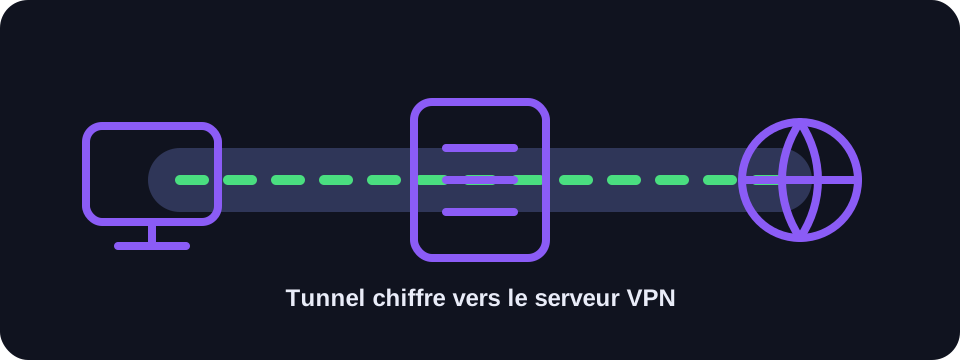
Key takeaways
- A VPN encrypts traffic between your device and the VPN server.
- Sites see the VPN server's IP address, not directly yours.
- It is useful on public Wi-Fi networks and for limiting your IP exposure.
- Trust in the VPN provider is essential.
What is a VPN?
A VPN is a network service that acts as a secure intermediary. When you activate it, your device establishes an encrypted connection with a VPN server. Internet requests then pass through this server before reaching the sites or applications.
This mechanism changes the IP address visible to online services. Instead of seeing your router's or mobile operator's IP, they see that of the chosen VPN server.
How does the encrypted tunnel work?
VPNs use protocols such as WireGuard, OpenVPN or IKEv2. These protocols organise the connection, authentication and encryption. The goal is to prevent network intermediaries — for example a public Wi-Fi — from easily reading your exchanges.
The VPN does not remove the Internet: it adds a step between you and the final site. This step can improve privacy but can also influence speed depending on the server's distance, its load and the quality of the provider.
Benefits and limits
- Privacy: the real public IP is less exposed.
- Security: traffic is better protected on untrusted networks.
- Location: the apparent location can change depending on the server chosen.
- Limit: a VPN does not block all cookies or all trackers.
Conclusion
A VPN is a useful tool for protecting your connection and hiding your IP, but you need to choose a serious service and understand its limits. It complements good security practices without replacing them.
How to use this guide in practice
To use this guide on VPN reliably, start by checking the context of your connection: home network, mobile network, company network, VPN, proxy or server. The same result can mean different things depending on the exit point being used. IP information should therefore be read together with other clues, such as provider, ASN, country, address type and DNS settings.
Avoid jumping to conclusions. Many network data points are approximate, shared or dependent on a third-party provider. If you are troubleshooting, note the test time, network used, VPN state and browser involved. These details make comparisons more useful and help separate a real issue from a normal routing effect.
Quick checklist
- Compare the VPN result on two different networks if possible.
- Run the test again after enabling or disabling a VPN, proxy or private DNS.
- Note whether the address is residential, mobile, business, hosted or shared.
- Do not treat an IP address as proof of identity without technical and legal context.
This checklist turns an isolated lookup into a reproducible diagnosis. It is especially useful when two tools show different results or when a service blocks a connection without explaining the reason clearly.
Limits to keep in mind
Results can change over time because of dynamic address assignment, operator routing changes, IP database updates or the use of an intermediary service. A single test is a snapshot of the moment, not a permanent truth.
FAQ
Does a VPN protect on public Wi-Fi?
Yes, it encrypts traffic between your device and the VPN server, reducing risks on an untrusted network.
Does a VPN slow down the Internet?
Sometimes. Speed depends on the server chosen, its distance and the quality of the provider.
Does a VPN hide my activity from all sites?
It hides your IP, but sites can still recognise you via cookies, connected accounts or browser fingerprinting.