A proxy is an intermediate server between your device and the Internet. It receives your requests, forwards them to the target site, then sends you the response. The site then sees the proxy's IP address rather than directly yours.
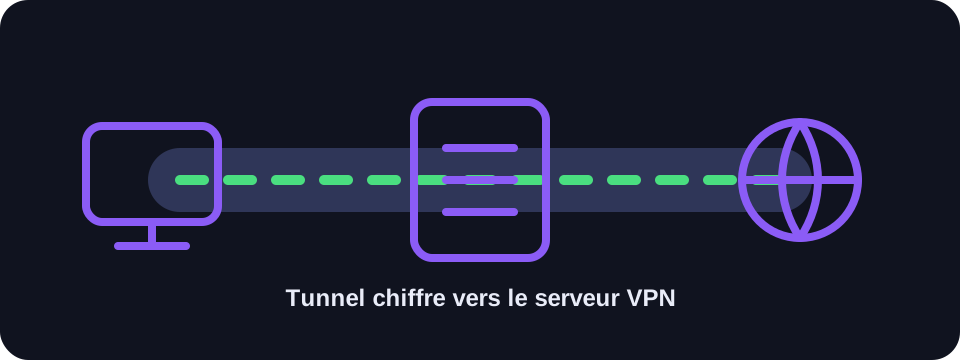
Key takeaways
- A proxy masks the IP for traffic that passes through it.
- It does not always encrypt the full connection.
- It can be used for filtering, caching, bypassing or network testing.
- A VPN generally offers broader protection than a simple proxy.
Definition of a proxy server
The word proxy means intermediary. In a network context, the proxy server sits between your device and the requested service. Your browser or application sends the request to the proxy, which then relays it.
This mechanism can be used to hide the IP address, filter certain content, cache resources, control corporate access or test a site from a different location.
Types of proxies
- HTTP proxy: suited to standard web traffic.
- HTTPS proxy: used for encrypted web connections.
- SOCKS proxy: more flexible, compatible with multiple traffic types.
- Transparent proxy: often used by corporate networks or operators.
- Residential proxy: uses addresses associated with residential connections.
Proxy vs VPN
A proxy often concerns a specific application, such as a browser. A VPN acts at the system level and routes a larger portion of traffic through an encrypted tunnel.
For a simple location test or technical use, a proxy may suffice. To protect a connection on a public network or hide the IP of multiple applications, a VPN is generally more comprehensive.
Conclusion
A proxy is a useful network tool, but it is important to understand its scope. It can hide an IP, but it does not always replace the encryption and global protection of a VPN.
How to use this guide in practice
To use this guide on proxy reliably, start by checking the context of your connection: home network, mobile network, company network, VPN, proxy or server. The same result can mean different things depending on the exit point being used. IP information should therefore be read together with other clues, such as provider, ASN, country, address type and DNS settings.
Avoid jumping to conclusions. Many network data points are approximate, shared or dependent on a third-party provider. If you are troubleshooting, note the test time, network used, VPN state and browser involved. These details make comparisons more useful and help separate a real issue from a normal routing effect.
Quick checklist
- Compare the proxy result on two different networks if possible.
- Run the test again after enabling or disabling a VPN, proxy or private DNS.
- Note whether the address is residential, mobile, business, hosted or shared.
- Do not treat an IP address as proof of identity without technical and legal context.
This checklist turns an isolated lookup into a reproducible diagnosis. It is especially useful when two tools show different results or when a service blocks a connection without explaining the reason clearly.
Limits to keep in mind
Results can change over time because of dynamic address assignment, operator routing changes, IP database updates or the use of an intermediary service. A single test is a snapshot of the moment, not a permanent truth.
For a cleaner comparison, repeat the lookup from the same device after changing only one variable at a time. This can be the network, the VPN state, the browser DNS mode or the device used. Changing several variables at once makes the result harder to understand.
FAQ
Does a proxy encrypt my connection?
Not always. Some proxies do not encrypt traffic. Encryption depends on the protocol used and the site visited.
Is a free proxy reliable?
Caution is required. A proxy can see part of your traffic. Avoid routing sensitive data through it.
What is the difference with Tor?
Tor routes traffic through several relays to strengthen anonymity, while a proxy is often a simple intermediary.