Hiding your IP address means preventing the sites you visit from directly seeing the address provided by your operator. This is useful for limiting tracking, protecting your connection on certain networks and better controlling your online exposure.
Key takeaways
- A VPN replaces the visible IP with that of a remote server.
- A proxy hides the IP for certain uses, but rarely encrypts all traffic.
- Tor strengthens anonymity but may be slower.
- Hiding your IP is not enough to guarantee complete anonymity.
Why hide your IP?
Your public IP address can indicate your operator, your country, your approximate city and sometimes the type of network used. Hiding it limits the exposure of this information to the sites, applications and services you visit.
It is also useful when using public Wi-Fi, when you want to reduce advertising tracking or when you want to prevent your home IP address from appearing in a service's connection logs.
The main methods
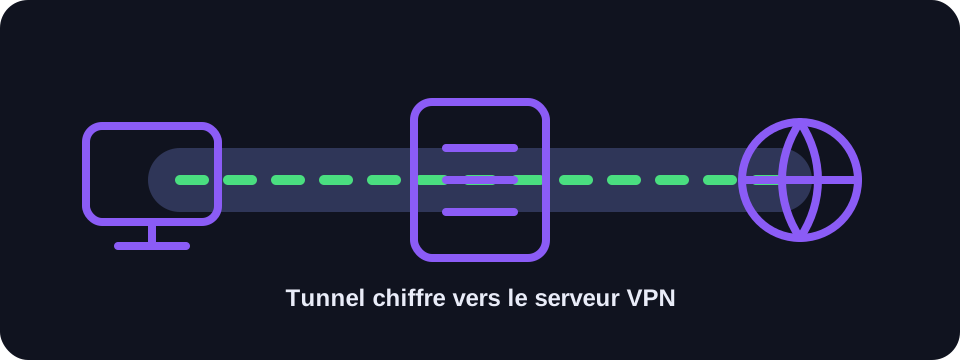
A VPN is the best-known solution. It creates an encrypted tunnel between your device and a remote server. Sites then see the VPN server's address. A proxy works as an intermediary but is often configured for a specific application and does not always encrypt data.
Tor Browser routes your traffic through several relays. It can offer a higher level of anonymity but is less suited to streaming, personal accounts or uses requiring good performance.
What hiding your IP does not protect against
Sites can also recognise you via cookies, your connected account, browser fingerprinting, tracking pixels or information you voluntarily provide. A hidden IP therefore does not replace good digital hygiene.
To strengthen your privacy, use HTTPS, limit browser extensions, control location permissions and avoid staying logged in to personal accounts when you want to reduce tracking.
Conclusion
Hiding your IP is a good privacy measure, but it should be understood as one layer of protection among many. The choice between VPN, proxy and Tor depends on your goal: security, privacy, performance or enhanced anonymity.
How to use this guide in practice
To use this guide on IP masking reliably, start by checking the context of your connection: home network, mobile network, company network, VPN, proxy or server. The same result can mean different things depending on the exit point being used. IP information should therefore be read together with other clues, such as provider, ASN, country, address type and DNS settings.
Avoid jumping to conclusions. Many network data points are approximate, shared or dependent on a third-party provider. If you are troubleshooting, note the test time, network used, VPN state and browser involved. These details make comparisons more useful and help separate a real issue from a normal routing effect.
Quick checklist
- Compare the IP masking result on two different networks if possible.
- Run the test again after enabling or disabling a VPN, proxy or private DNS.
- Note whether the address is residential, mobile, business, hosted or shared.
- Do not treat an IP address as proof of identity without technical and legal context.
This checklist turns an isolated lookup into a reproducible diagnosis. It is especially useful when two tools show different results or when a service blocks a connection without explaining the reason clearly.
FAQ
Does a VPN make you completely anonymous?
No. It hides your IP and encrypts your traffic to the VPN server, but other forms of tracking remain possible.
Is a proxy sufficient?
For some simple uses, yes. To protect all of a device's traffic, a VPN is generally more appropriate.
Can my ISP see that I'm using a VPN?
It can see a connection to a VPN server, but not easily the detail of sites visited inside the tunnel.