An IPv6 leak occurs when your IPv4 traffic appears to be protected by a VPN, but your device continues to use an IPv6 address provided by your operator. The visited site may then see a different address from the expected one and deduce that your real connection is not fully masked.
Key takeaways
- IPv4 and IPv6 can run in parallel on the same device.
- A poorly configured VPN can protect IPv4 but let IPv6 through.
- An IPv6 leak can reveal your operator or your real network.
- You need to test IPv4, IPv6, DNS and WebRTC to verify a privacy configuration.
Why IPv6 creates a particular risk
Many users think they have a single visible IP address. In reality, a modern device can use IPv4 and IPv6 at the same time. IPv4 remains very widespread, while IPv6 is gradually being deployed to provide more addresses and simplify certain aspects of routing.
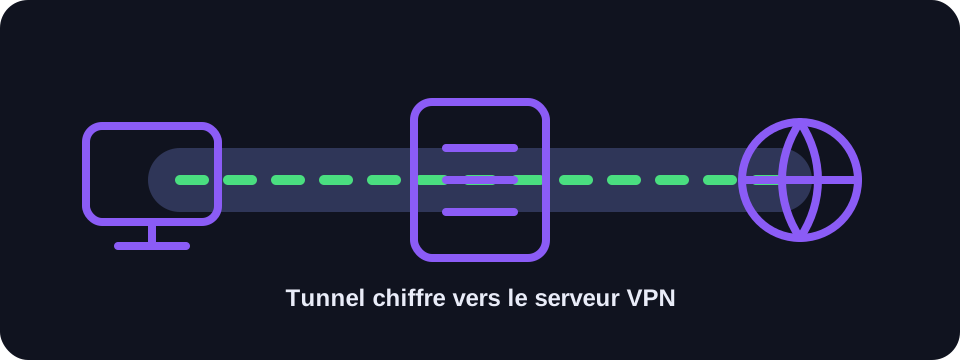
The problem appears when a privacy tool only manages part of the traffic. If the VPN creates a tunnel for IPv4 but does not route IPv6, the browser can still reach certain services via IPv6 directly. The site then sees the real IPv6 address or an address linked to your access provider, despite the VPN being active.
Difference from a DNS leak
A DNS leak concerns domain name resolution requests. An IPv6 leak concerns the path used to access the site itself. Both problems can coexist, but they are not identical. You can have correct DNS and still expose IPv6, or vice versa.
For a complete diagnosis, you need to check several signals: the visible IPv4 address, the visible IPv6 address, the DNS servers used and any WebRTC leaks in the browser. A single quick test is not always enough to understand the full configuration.
How to test for an IPv6 leak
Enable your VPN, then open a tool that displays IPv4 and IPv6 separately. If you see a VPN IPv4 but an IPv6 associated with your operator, there is probably a leak. You can also compare results with and without VPN to identify changes.
It is important to test from the browser you actually use. Some applications use their own network stack or their own DNS. A test in one browser therefore does not automatically guarantee that all traffic from all applications follows the same path.
What to do in case of a leak
The best solution is to choose a VPN that correctly handles IPv6 or that explicitly blocks IPv6 when the tunnel does not carry it. Good VPN clients often include IPv6 leak protection and a kill switch to cut traffic if the tunnel drops.
If your VPN does not handle IPv6, you can disable IPv6 on the device or on the router, but this solution should be used with caution. IPv6 is a normal evolution of the Internet; disabling it may mask the problem without solving it durably. It is better to understand why the tunnel does not support it.
Mobile and corporate networks
Mobile networks often use IPv6 significantly. A leak can therefore be more visible on a smartphone than on a fixed connection. In a corporate environment, network policies can also force certain paths or prevent a personal VPN from controlling all traffic.
On a work computer, avoid modifying network settings without authorisation. IPv6, DNS or VPN changes can break internal access. In this context, the right contact is the IT team or network support.
Conclusion
An IPv6 leak is a reminder that a modern connection does not come down to a single address. To verify your privacy, look at all visible addresses and not just the main IPv4. A reliable VPN must clearly handle IPv4, IPv6, DNS and tunnel drops.
FAQ
Is IPv6 less secure than IPv4?
No. The risk mainly comes from poor configuration or a tool that does not manage all traffic.
Should I disable IPv6?
Only if your VPN does not protect it and if you understand the impact on your connection.
Is an IP test sufficient?
It helps, but you also need to check DNS and WebRTC for a complete diagnosis.